Samsung’s Premier Windows Laptop: Galaxy Book4 Ultra
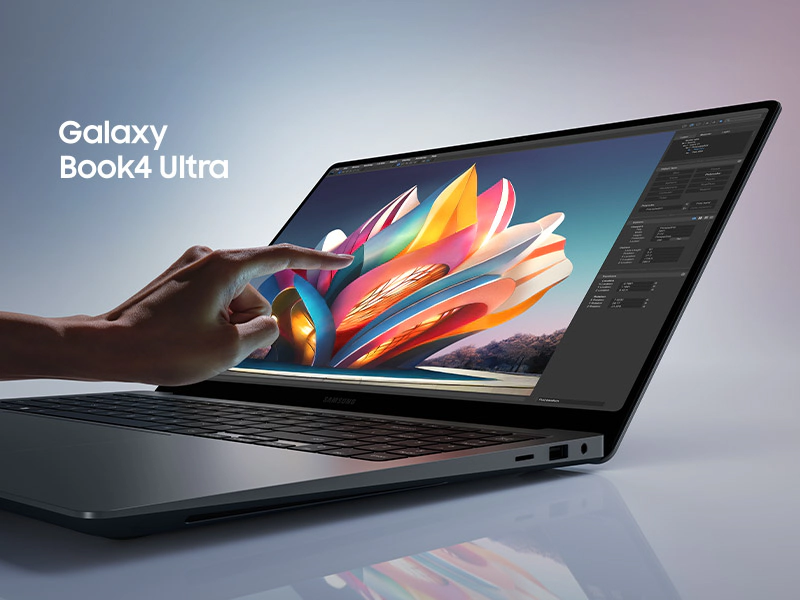

The Samsung Galaxy Book4 Ultra is positioned as the definitive “Pro” laptop for the Windows ecosystem. It’s a high-stakes play to capture the creative professional market that typically defaults to the MacBook Pro. After several months of professional use and community feedback, here is the critical consensus on how this powerhouse actually performs.
Design and Display: The “Showstopper” Factor
Samsung has leaned into a “precision-milled” aesthetic that rivals the best in the industry. The Moonstone Gray aluminum chassis is frequently praised for its sophisticated, minimalist look that feels every bit as premium as its price tag suggests.
- The Screen: The 16-inch 3K Dynamic AMOLED 2X display is the undisputed star. With a 120Hz refresh rate and perfect blacks, users describe it as “the best laptop screen on the market.” Its color accuracy makes it a top-tier choice for photographers and colorists.
- The Interface: The massive trackpad is a highlight, though some users find it too large, occasionally leading to accidental palm touches. The port selection is a major win—dual Thunderbolt 4 ports, HDMI 2.1, and a microSD slot provide a “no-dongle” life that professionals appreciate.
Performance: Creative Muscle with a Catch
Equipped with Intel’s Core Ultra processors and NVIDIA RTX 40-series graphics, the Book4 Ultra is a legitimate mobile workstation.
- Pros: It handles 4K video editing, 3D rendering, and complex CAD software with “remarkable ease.” The integration of the NPU (Neural Processing Unit) for AI tasks is a forward-looking touch that helps with background noise removal and blurred video backgrounds without taxing the main GPU.
- Cons: Raw power generates heat. Under sustained heavy loads, critics note that the fans become “quite audible,” and the chassis can get warm. While it is a performance beast, it doesn’t quite hit the same “performance-per-watt” efficiency as Apple’s silicon, meaning it works best when plugged into a wall.
Ecosystem: The “Galaxy” Advantage
For those already using a Samsung phone or tablet, the software experience is a standout. Features like Multi Control (using one mouse/keyboard across devices) and Second Screen (using a Galaxy Tab as a portable monitor) are described as “flawless” and “genuine productivity boosters.” However, if you aren’t in the Samsung ecosystem, these features are “dead weight” that you’re still paying for.
Battery and Value: The Reality Check
The “Ultra” name comes with Ultra-high pricing.
- Battery Life: While it’s fine for light office work, users report that when “pushed hard” with creative apps, the battery life drops significantly. It likely won’t last a full 8-hour creative session away from a charger.
- The Verdict on Cost: At its premium price point, critics argue that the 720p/1080p webcam and “average” speaker quality (compared to the MacBook Pro 16) are disappointing omissions in an otherwise flawless package.
The Verdict
The Samsung Galaxy Book4 Ultra is a peak combination of raw power and stunning display technology. It is the best choice for professional creatives who need a high-end Windows machine that looks as good as it performs.
However, if you aren’t tied to the Windows environment or the Samsung ecosystem, the high price and the drop in performance when on battery power might make other workstations more practical.
Core Consensus Score: 4/5 — The Windows Creative King.